Archive: Dev Blog

The Four Factions: Spearman

It’s week three in our month of unit spotlights! We’re going to take a look at the Spearman unit!

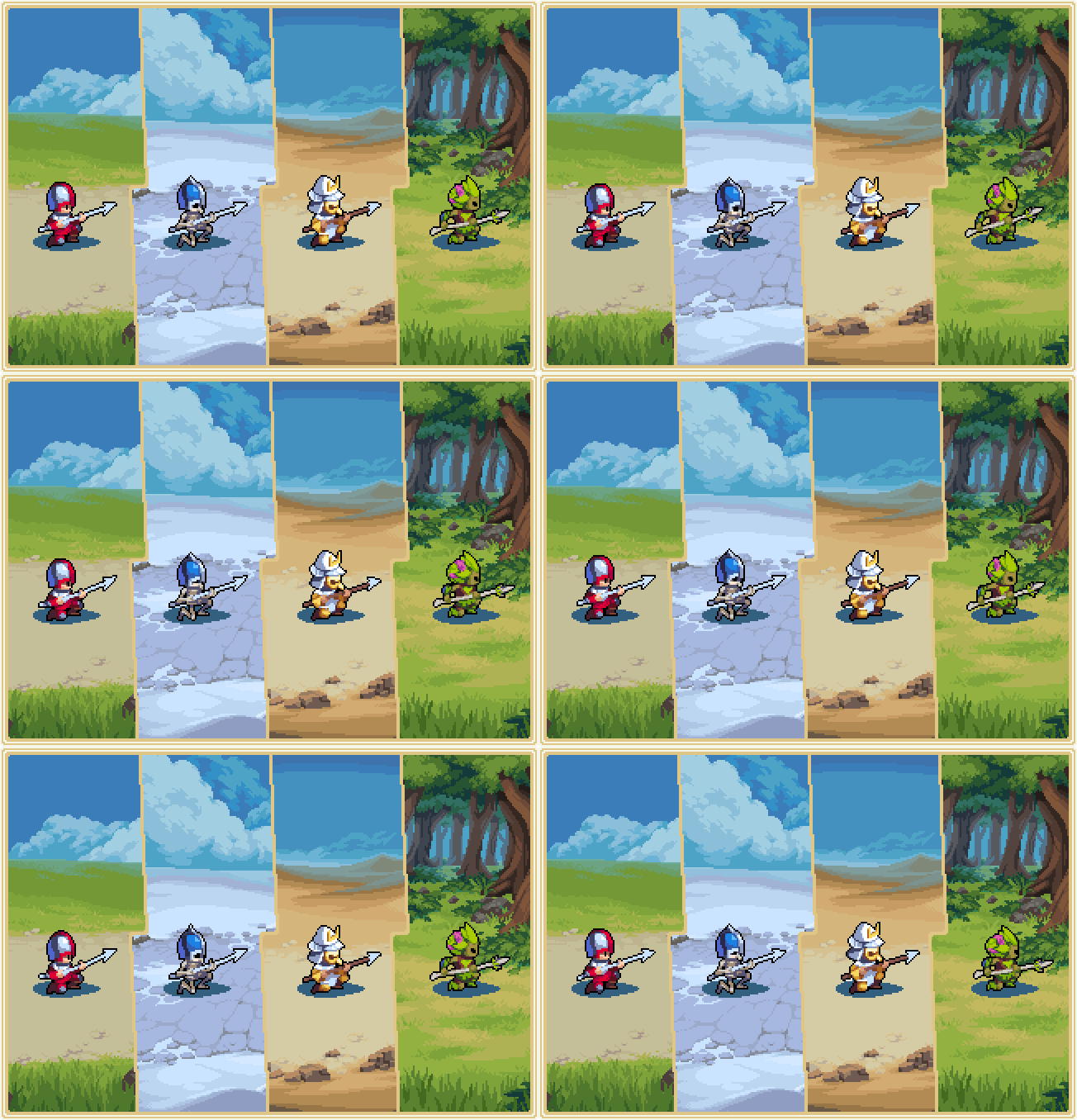
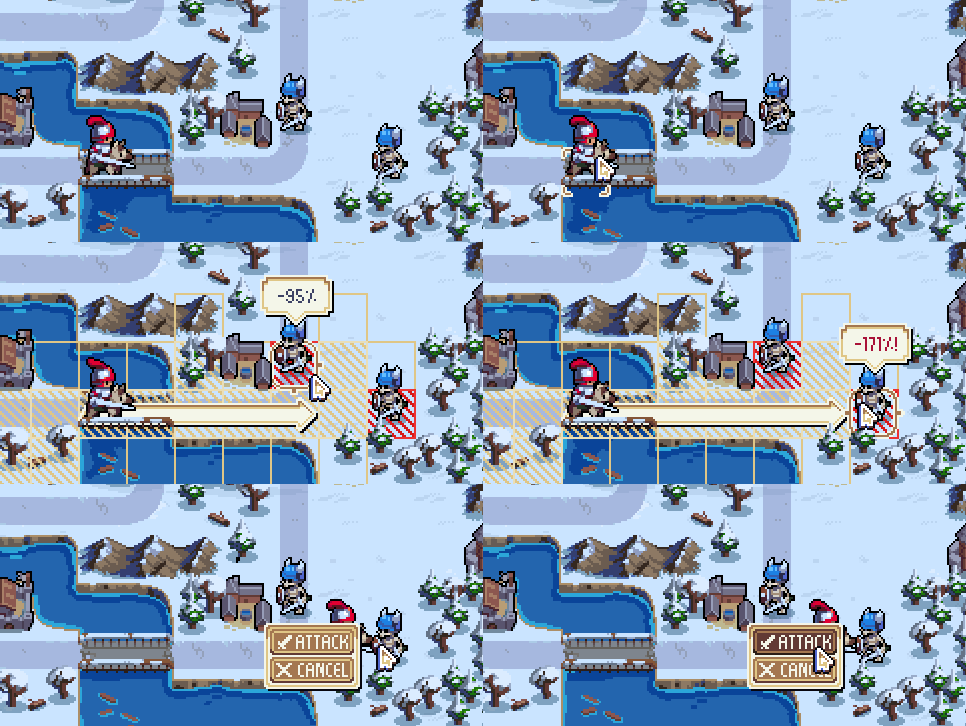
What sets the Spearman apart from the Soldier, you might ask? Those spears give them a particular advantage over attacking beasts, so the Spearman can hold its own against Dogs and the much more expensive Knight. Their passive ability gives them a damage increase when positioned alongside another Spearman, giving them strength in numbers. A Spearman wall can be a formidable defense!

No matter what faction they belong to, the Spearman can always be identified by their crouching, spear-ready stance. They kind of look like they’re playing a sweet guitar solo, don’t they?

Comments »

The Four Factions: Archer

For the second week in our month of unit spotlights, we’re going to take a look at the Archer unit!

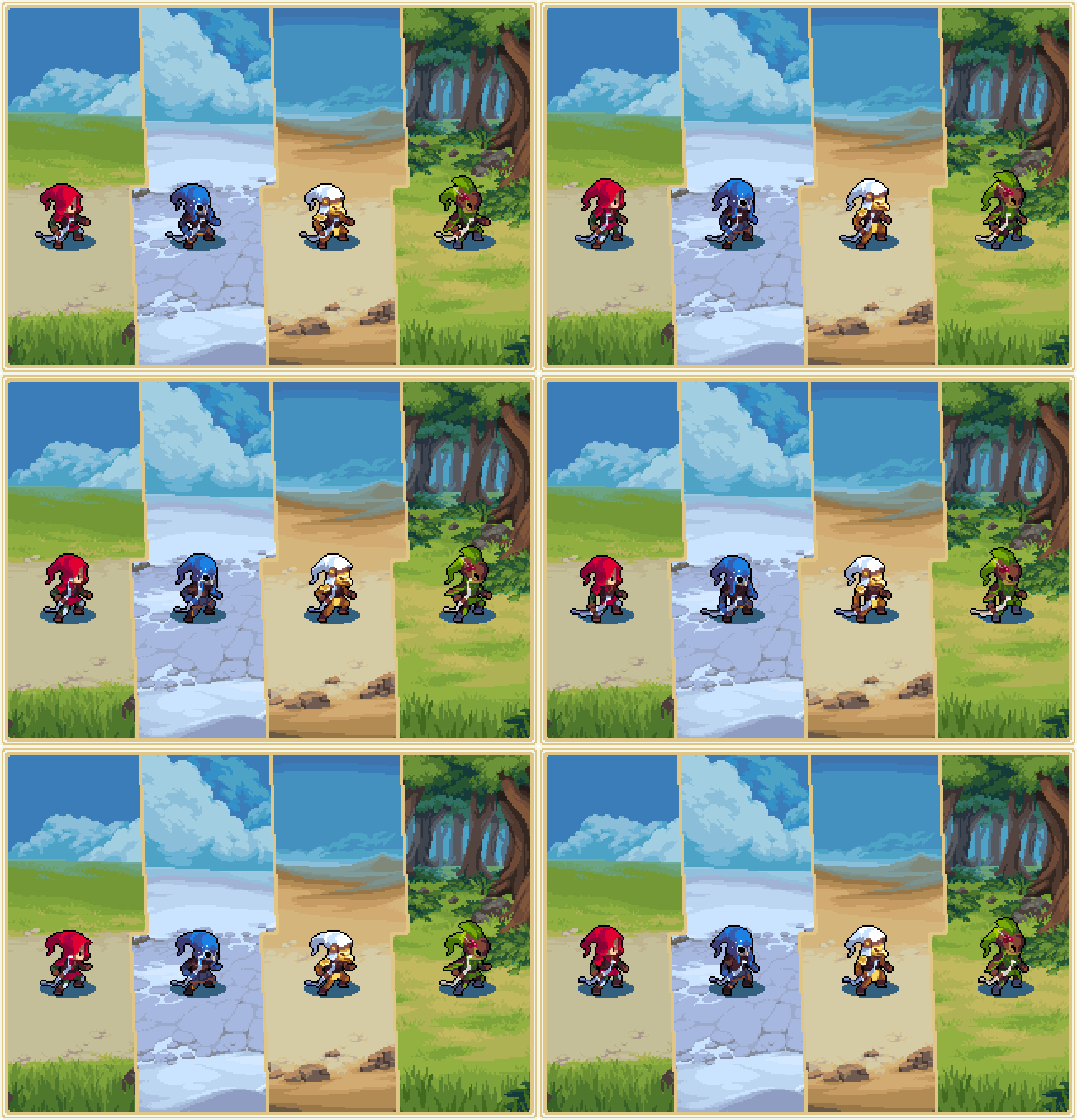
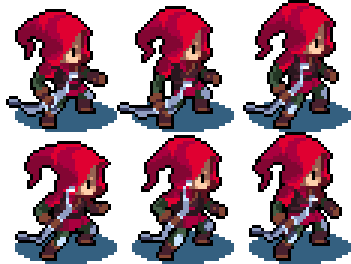
We’ve previously talked about our reasons for introducing the Archer. They are the only ground unit that can move and attack at a distance in the same turn, while still being able to capture structures like other footsoldiers. As well as this, although Ballistae and Trebuchets aren’t able to counter-attack, Archers are! Whilst they typically don’t do a great amount of damage, their passive boost occurs if they attack without moving, so you might instead want to position them as sentries!

If you see approaching troops with long hoods and bows in hand, you’re almost certainly up against Archers – watch out for their long ranged attacks!

Comments »

The Four Factions: Soldier

Hey, everyone! As we approach to the end of the year, we thought it would be nice to show off how some of the units look across all four of Wargroove‘s factions. Every week this December we’ll have a new blog post spotlighting another unit type, so stay tuned!

Whilst the Cherrystone Kingdom and Felheim Legion factions have appeared extensively in our launch trailer and development streams, the Heavensong Empire and Floran Tribes have only been briefly teased. We’re excited to be able to show them off in greater detail!

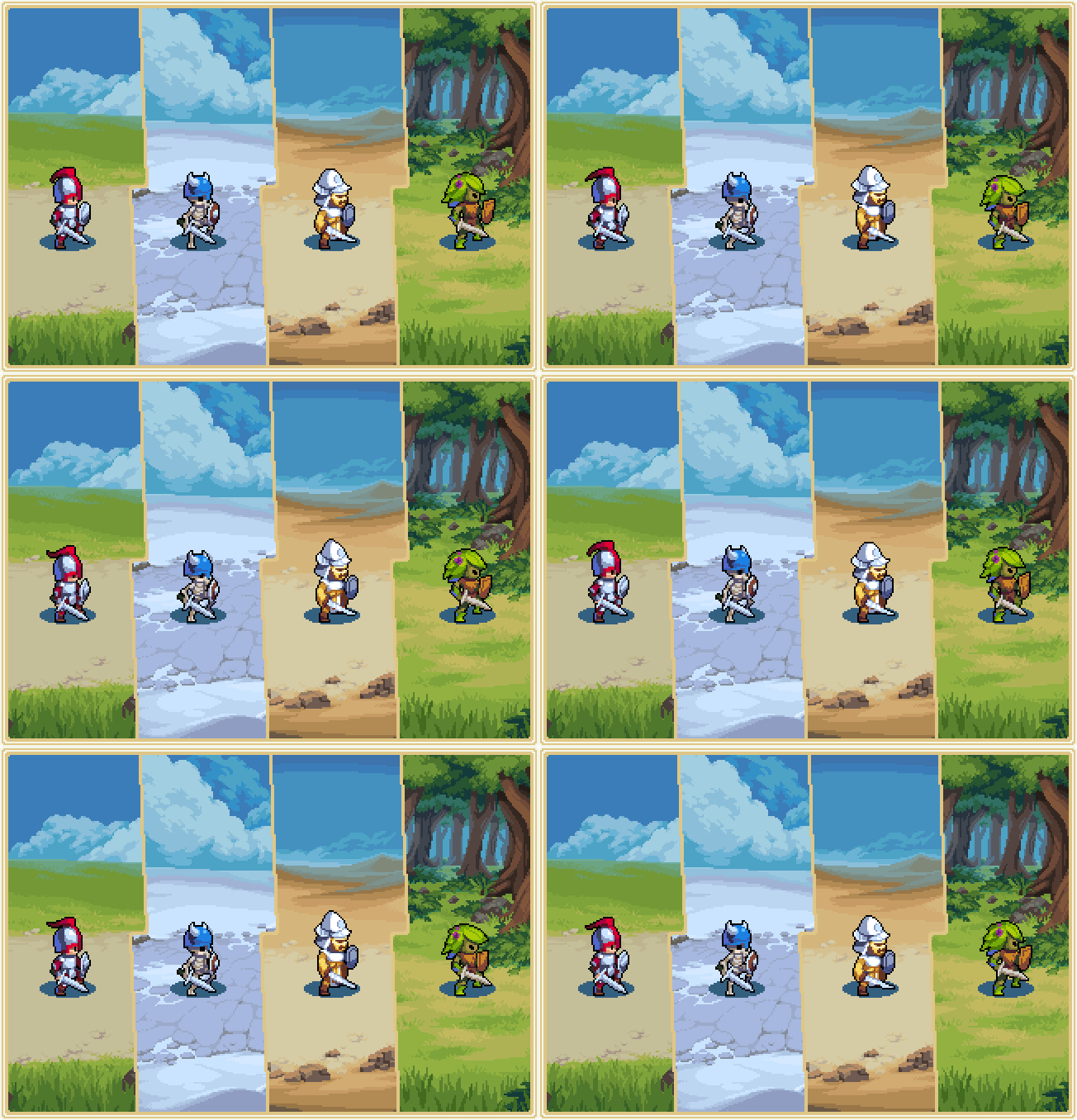
The Soldier is the cheapest unit type in Wargroove, but this doesn’t mean that it isn’t useful. Soldiers have better movement range than many ground units, are able to capture structures, and their low cost means that they can be safe and cost-efficient to produce in great numbers. Their passive ability also increases their damage when adjacent to their Commander, which means that with the right amount of strategic foresight, they can be a force to be reckoned with!

Whether they’re undead, hidden behind a golden mask or even a terrifying plant-like predator, the soldier is always identifiable by their sword and shield.


Come back next week to see more units, and follow us on Twitter to get even more sneak peeks at things to come!

Comments »

Make Your Own Adventure!

In a previous article, we’ve discussed how you can easily create scenarios and chain them together on campaigns. Yesterday, we did a live stream on Twitch, showcasing how you can make interesting and dynamic scenarios in Wargroove using “triggers”. Some of the things you can make with this are:

  • Custom story-driven missions, with sub-quests, plot twists, ambushes, and hidden secrets
  • Unique game modes, with their own mechanics and win/lose conditions
  • Change some of the rules of the game without needing to resort to modding
  • Have players make decisions that affect the outcome of this AND of future missions (if you’re making a campaign)
  • …and many other things! Remember that this is the tool that we ourselves are using to make the campaigns of Wargroove, so expect to be able to do anything you’d expect to see in the campaign of a game of this genre!

In this article, we’re going to look at what scripting a map in Wargroove looks like!

It might be enlightening to consider an example, so let’s come up with something. We want to make a scenario where Mercia has to travel across a road and reach the end of the map. However, along the path lies an ambush. How can we achieve this?

First, we make our test map.
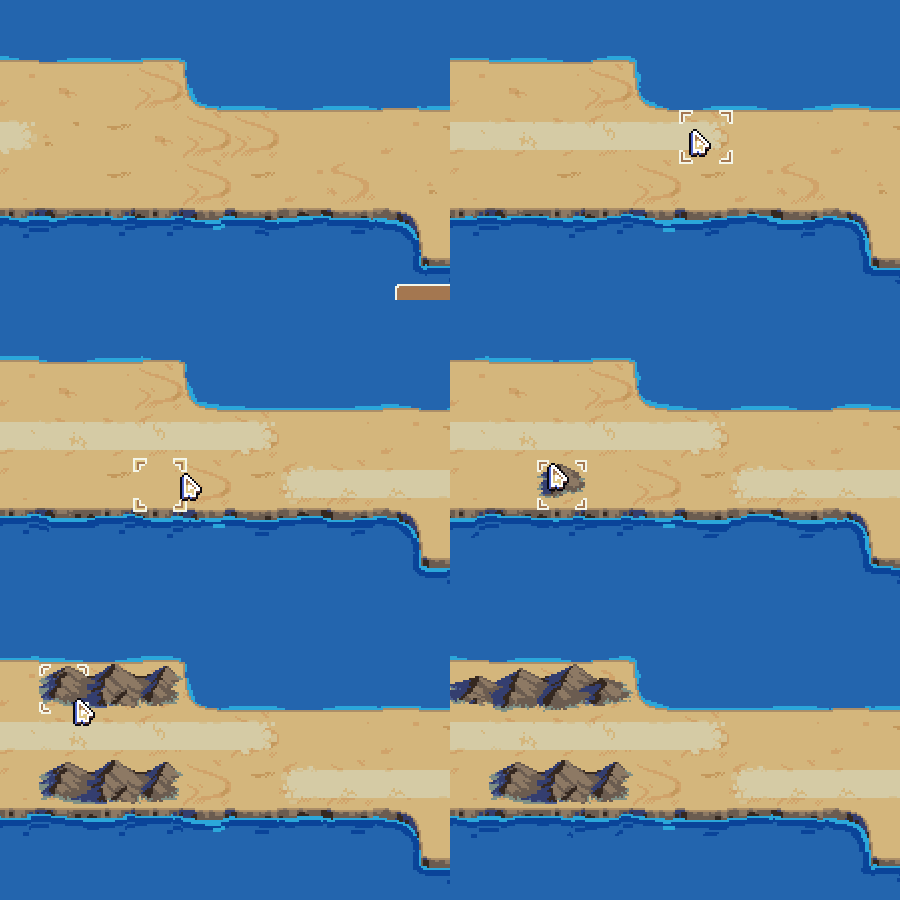
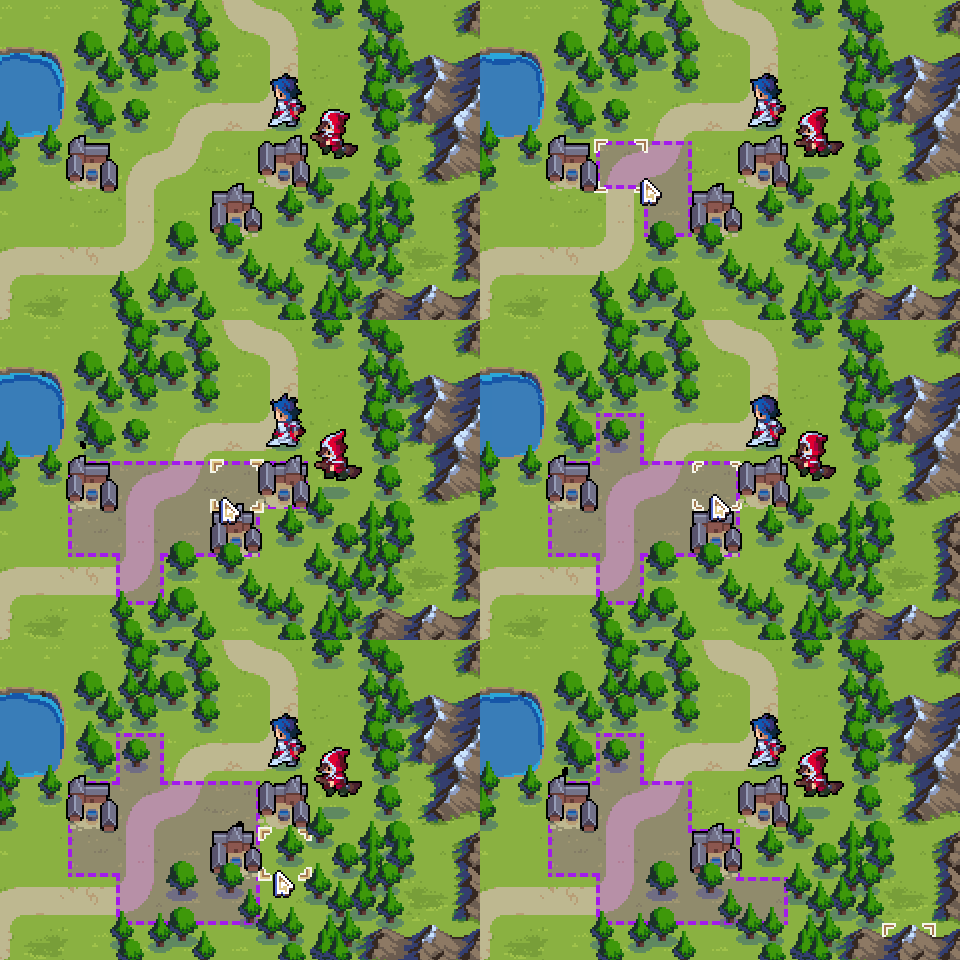
Now we can use the location tool to draw a few relevant areas: the destination, the area where Mercia triggers the ambush, and the locations where the enemies spawn during the ambush.
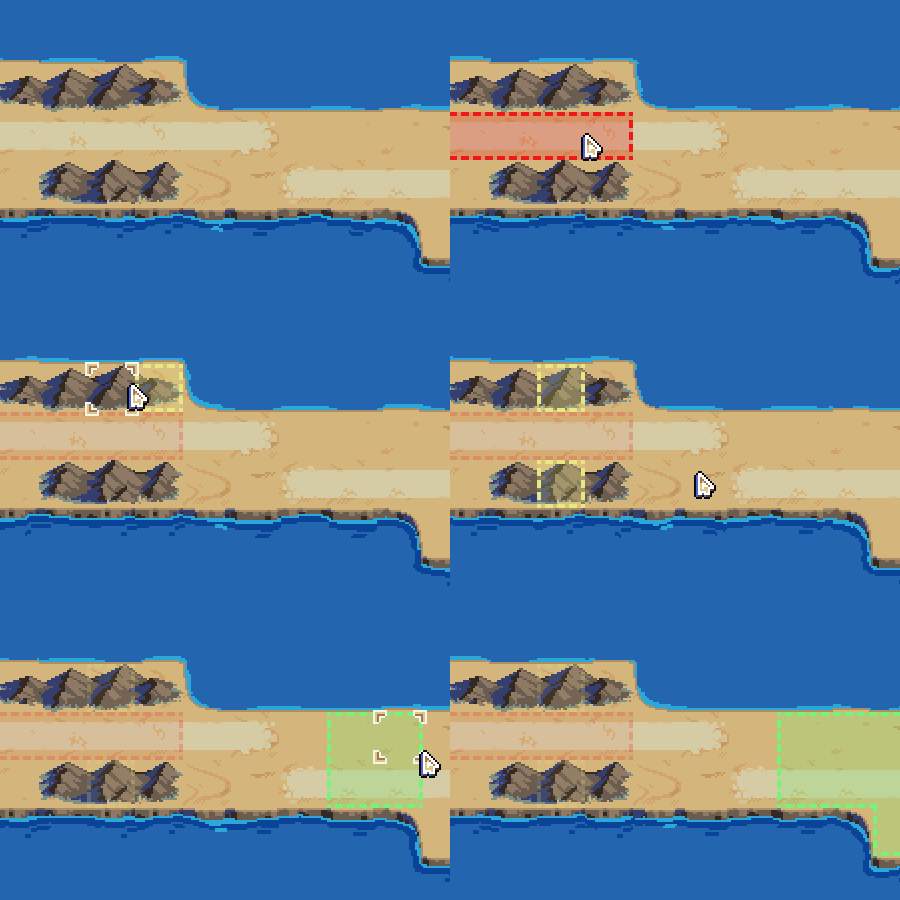
Next, we’re going to set up a win condition, and the ambush event. Both of those things are done by using “triggers”. Triggers are, fundamentally, a series of scriptable actions that execute on the map when certain conditions are fulfilled. Our objective here is to give users as much power as possible, but not at the cost of being easy to understand, learn, and use.

Our first trigger will be the winning condition. We want Player 1 to win if Mercia reaches the end location. So we create a trigger, give it to Player 1 only, and add a condition to it… looking through the list, “Unit Presence” seems to do what we want, and we configure it as such: “Does the Current Player have at least 1 of Commander at Destination?”. Next, we need an action to happen when this trigger happens. In this case, “Victory” will do, with “Give victory to Current Player”. All done for that!

Next, we want to set up the ambush. On this event, we want to give the player a way to avoid triggering it – maybe by capturing a village in another area of the map, or by donating some money to some locals who will advice you on it? For the purposes of setting up this trigger, what we need is a “Flag”, that determines whether the ambush is still active. Flags can be in one of two states, either true or false. We’ll create the flag on the “true” state (so the ambush can happen), and maybe later a different trigger can set it to “false” (spoiling the ambush).
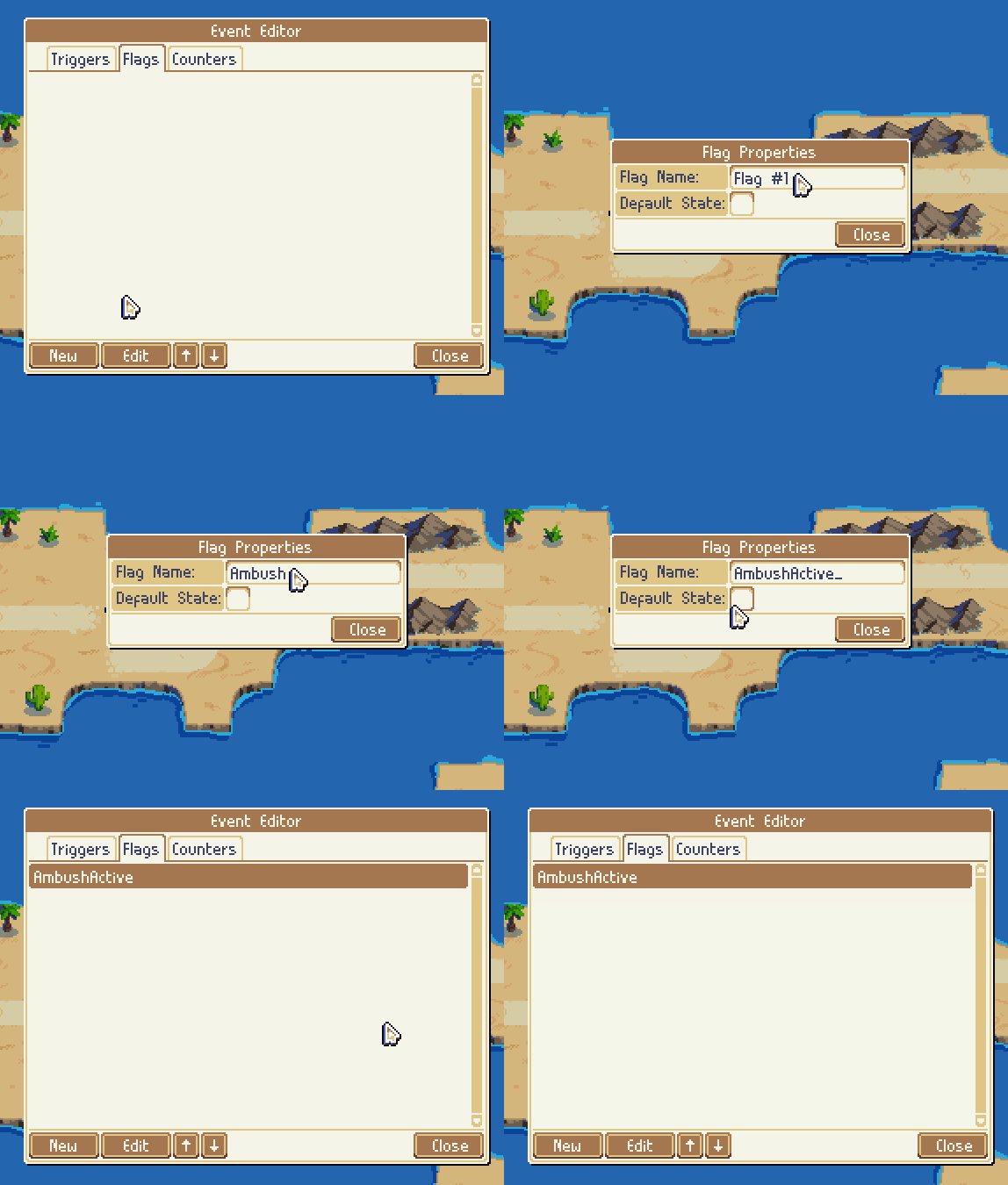
Now we can set up the trigger itself. Again, we want it limited to Player 1. The conditions are straightforward: “Does Player 1 have at least 1 of Commander at AmbushTrigger?”. We also want to check if the “AmbushActive” flag is still active. If all is well, then we’ll want to spawn an enemy soldier, an enemy dog, and play a cutscene, so that’s three actions: “Spawn Soldier at AmbushSpawn for Player2”, “Spawn Dog at AmbushSpawn for Player2” and “Play cutscene AmbushCutscene”.

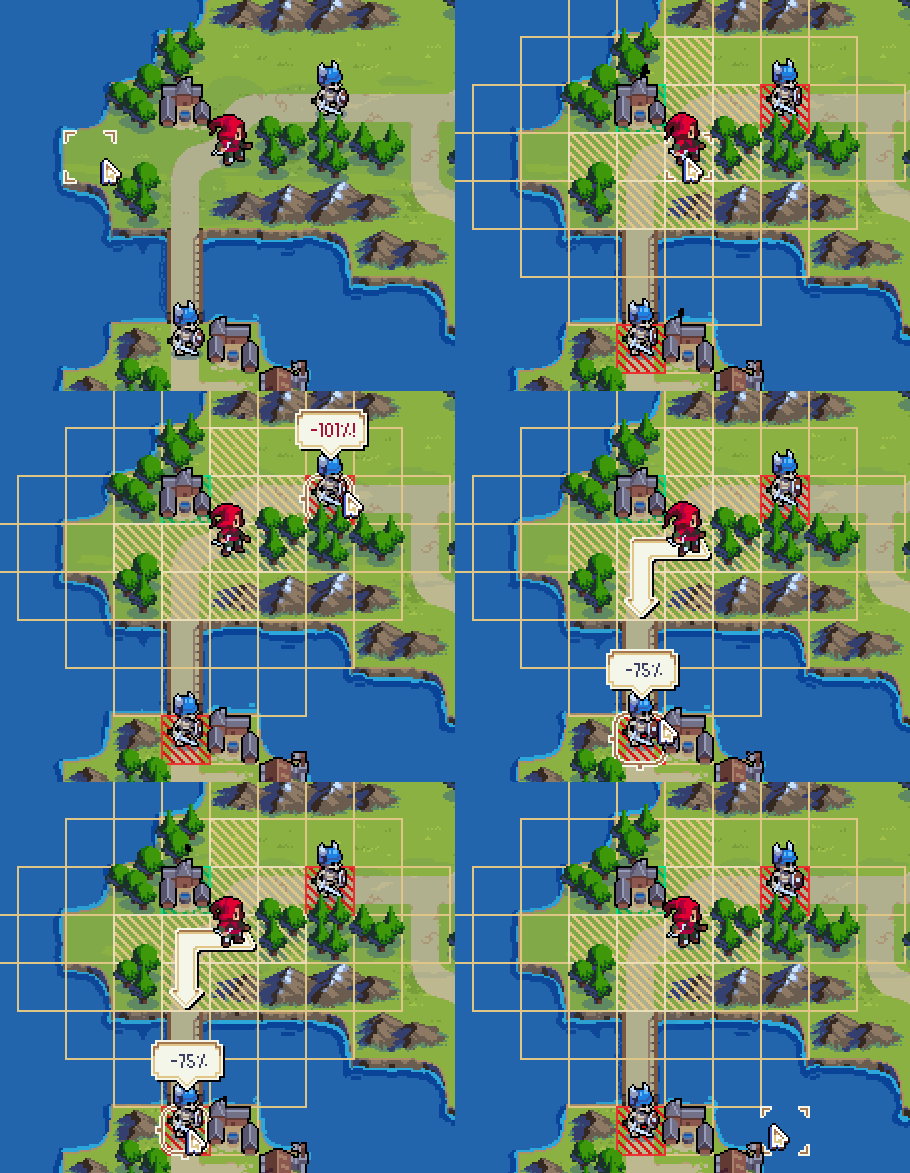
Let’s have a quick look at what it’s like in the game:
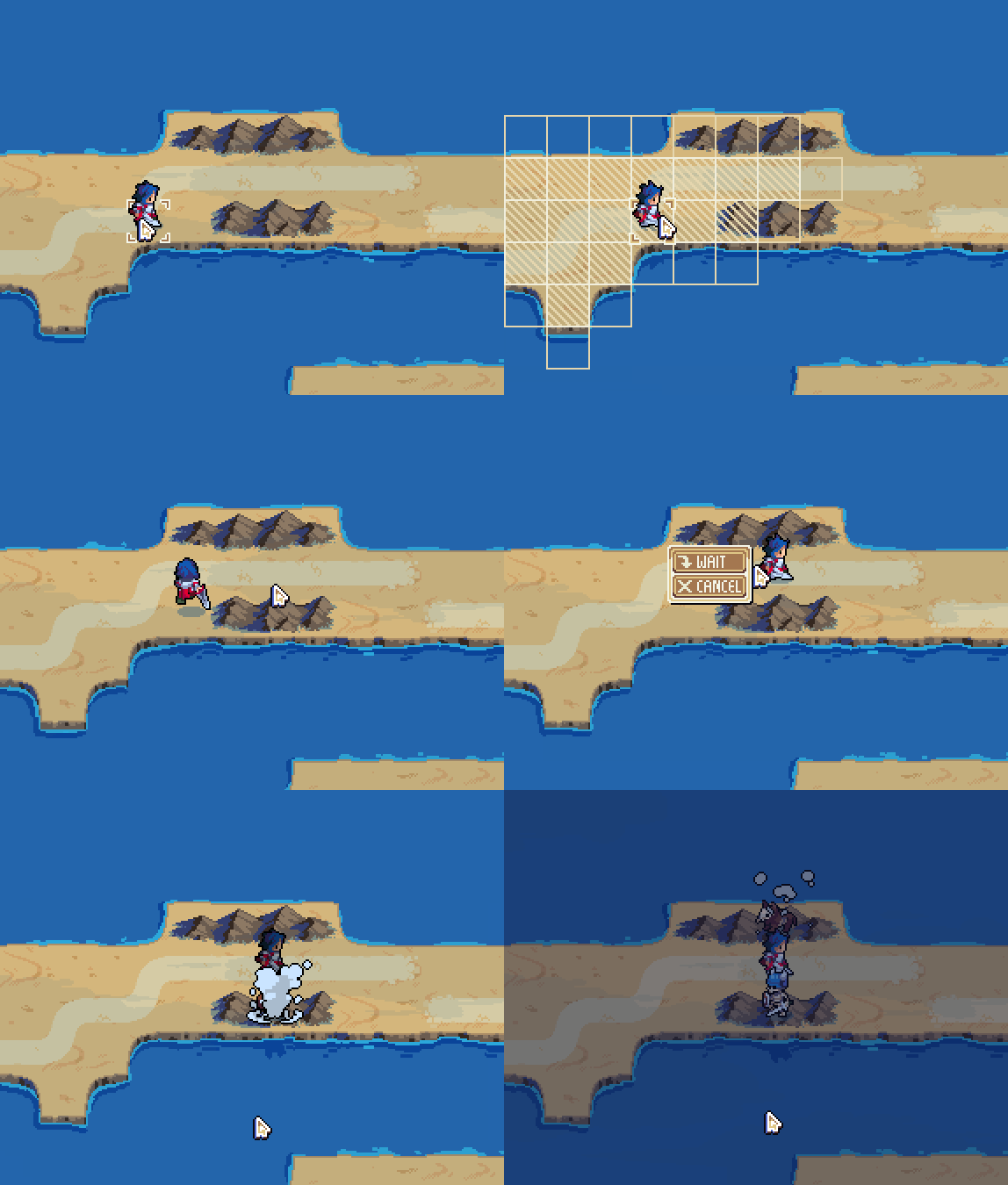
By adding more triggers, or modifying the existing ones, you can make the map more sophisticated. For example, you could set up something that will set that flag to false, like our aforementioned example of capturing a village. You can set up the map so people on the map give you mini quests, you can introduce new rules and victory conditions to the game, and you can carry over results from one map to another in the campaign with flags that span across the campaign.

As you’ve gathered from the gifs above, there are many other conditions and actions that I haven’t even described today, and more are certain to be added before release. Together, they’ll enable you to make really interesting and complex maps, without needing to resort to mods or programming skills! We’re very excited to see what the community can come up using this tool!

The Wargroove map editor will be available on all platforms (PC, Nintendo Switch, Xbox One and Playstation 4), including full support for all the features outlined in this article. The gifs here are using a mouse, but the UI has been carefully designed to work equally well on a gamepad – we’ll write more about the UI of Wargroove in a future article! Lastly, it’s worth remembering that you’ll be able to go online and share the content created with this map editor with friends and other players!


Comments »

Between Land and Sky

Hi, everyone! For those who have seen some of our recent gameplay streams, you may have noticed we’ve been showing off some new, exciting units. I thought it would be nice to have a closer look at some of those units, and what roles they take in the strategy of Wargroove!

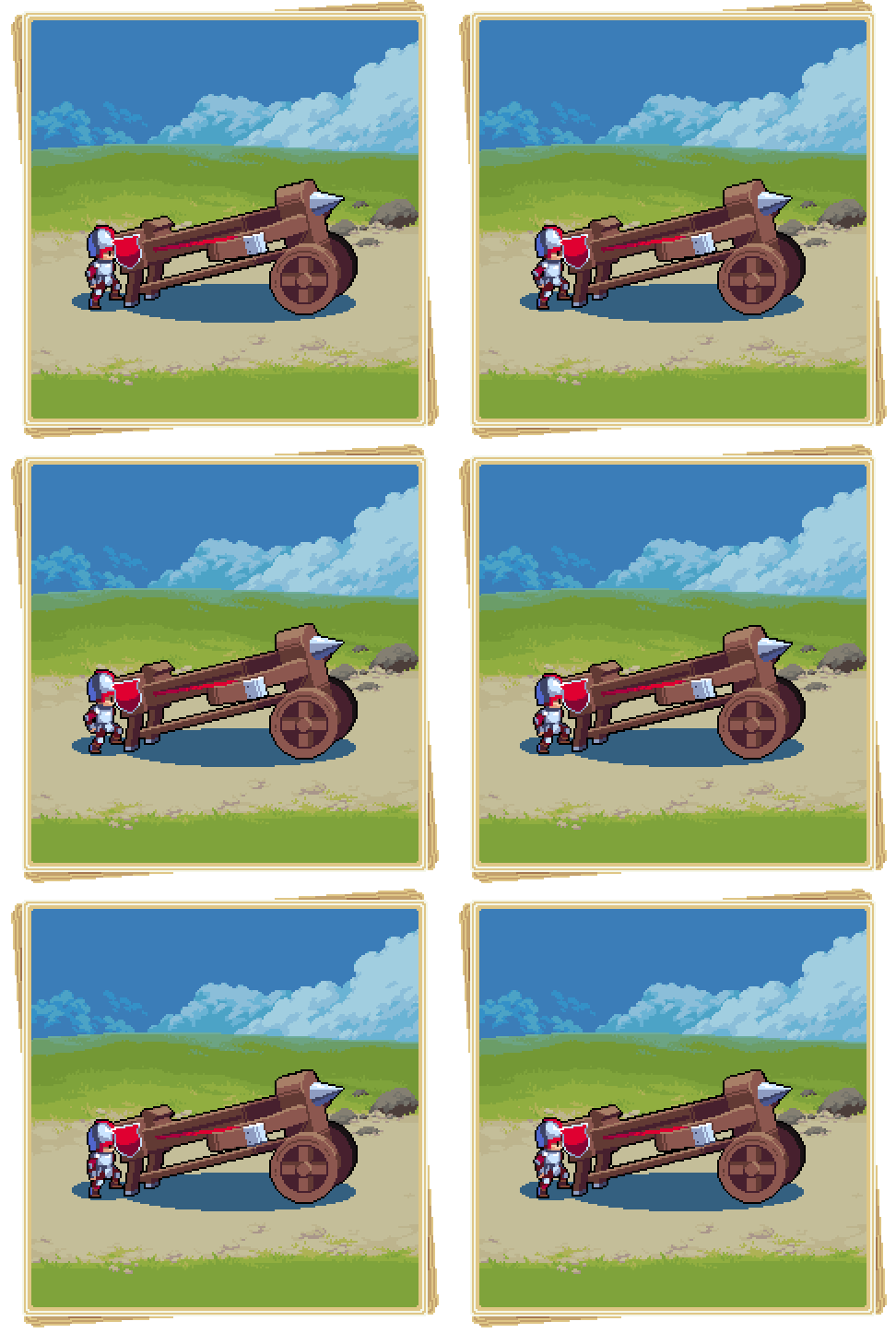
This is the Ballista. Like the Trebuchet, it is a big vehicle that cannot move and fire in the same turn, but boasts a huge range to make up for it. Air units can be extremely deadly in the right situation, but every air unit is extremely vulnerable to the Ballista’s bolts. Strategic placement of Ballistae can create entire zones of the map that are too risky for air units to enter alone. Keep in mind, however, that they can’t counter attack!

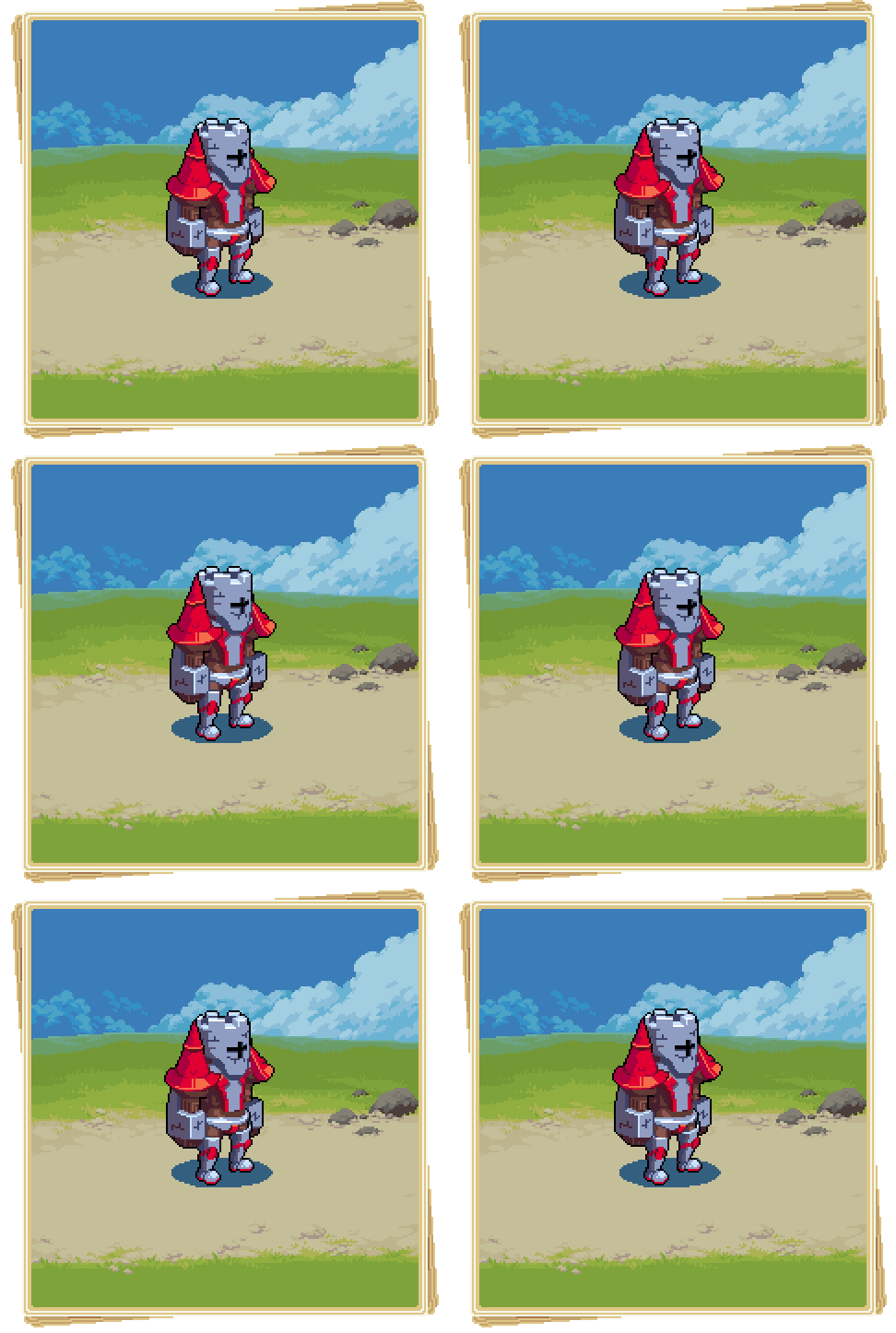
This is a Giant – in particular, the Cherrystone Kingdom’s Golem. This mighty construct towers over footsoldiers, and deals one of the most powerful attacks a unit can deliver. For obvious reasons, it is the most expensive land unit to purchase. That said, it does lack the superior mobility that the Knight possesses – so if covering distance is a priority for you then maybe bigger isn’t always better.

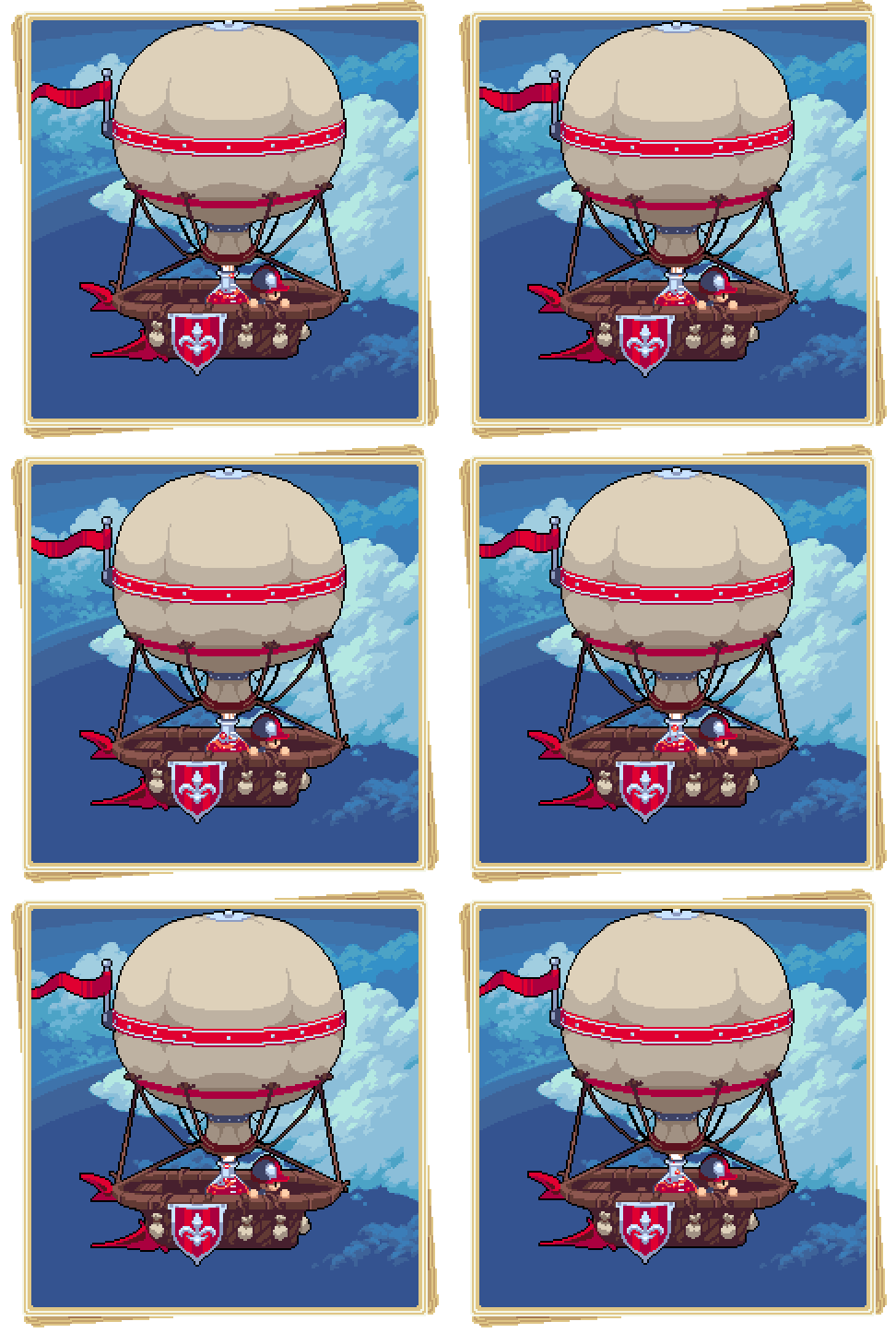
Give a warm welcome to the Balloon! This unit acts like a Wagon for the air, picking up units and transporting them without having to worry about that pesky terrain getting in the way. Just, uh, look out for those Ballistae, though!


As always, follow us on Twitter to catch updates and news about upcoming gameplay streams. If you’d like to come chat to us and other fans, you can join our Discord server!

Until next time!

Comments »

Archers, passive abilities, and reinforcements

Hi all,

Lately we have spent a considerable effort in balancing the game, and figuring out exactly how all the game mechanics need to work for a fun, interesting experience, while preventing the game from becoming too overwhelming. Today I’d like to talk about some of those.

First, we needed an early game ranged unit, to provide tactical coverage for your front line melee units. Units like trebuchets add a lot of tactical options to the game, but are quite expensive. To solve this, we introduced archers, which are infantry units that can shoot at range 3. One thing that makes them behave differently from trebuchets is that archers can move and attack on the same turn, whereas trebuchets can only do one of the two actions on each turn.

While this fills the need for an early, mobile, ranged unit, it does remove the tactical decision of moving vs attacking, and makes them more effective on attack than on defence. To account for that, we need to discuss another mechanic that was added to the game: passive abilities.

(UI is placeholder)

Every unit in the game has one ability – either active or passive. Active abilities manifest themselves as verbs on the action menu, such as the wagon’s ability to load and unload units, or the commander’s unique powers (more on that a future post!). Passive abilities typically increase the damage that a unit does in combat when certain conditions are met. For the archers, their damage is increased by 35% (relative) when they attack without moving.

Other examples include knights, which double their damage after a full charge (5 tiles moved), dogs, which get a bonus if their target is being flanked by another dog, spearmen, which get a bonus if they’re adjacent to another spearman, and mages, which get a bonus if it’s raining (they do call down lightning, after all!).

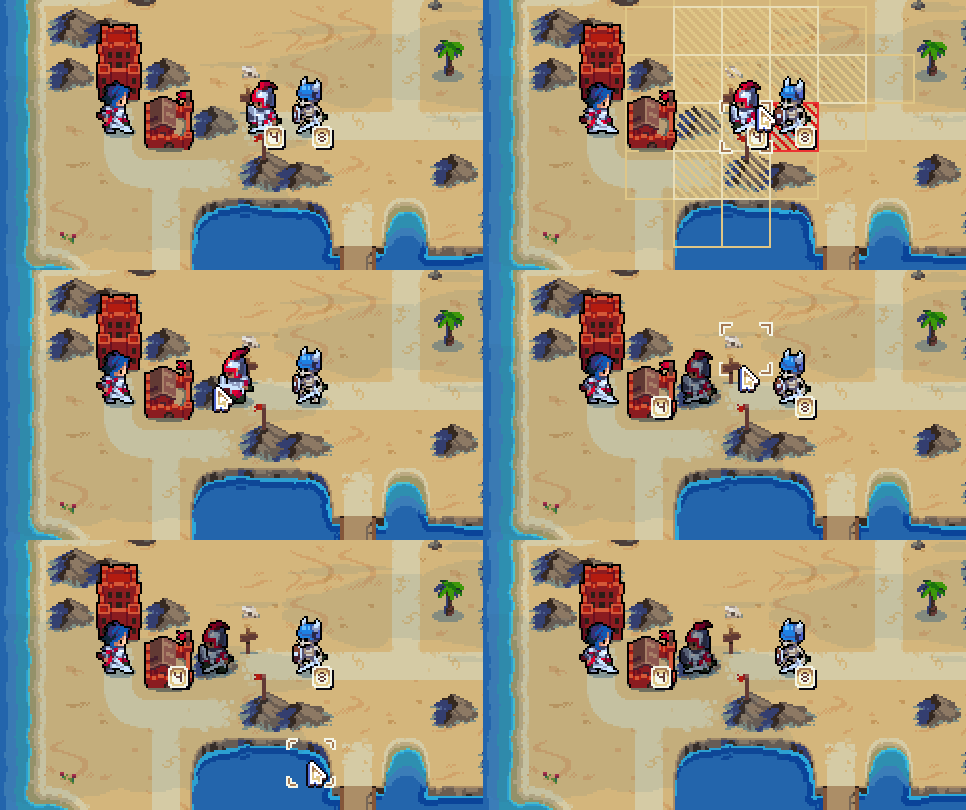
Finally, we’ve introduced reinforcements. If you’ve watched our previous gameplay Twitch stream, you’ll have seen that commanders were responsible for healing the army. We have now changed this, so units can be healed by moving adjacent to a friendly city and choosing “reinforce”. This will drain health from the city to heal the unit, and it will also cost you a proportional fraction of the gold cost of the unit. For example, healing a unit with half health will cost you half that unit’s total cost.

Don’t worry, this will be animated later 🙂

Comments »

Biomes

Hey there,

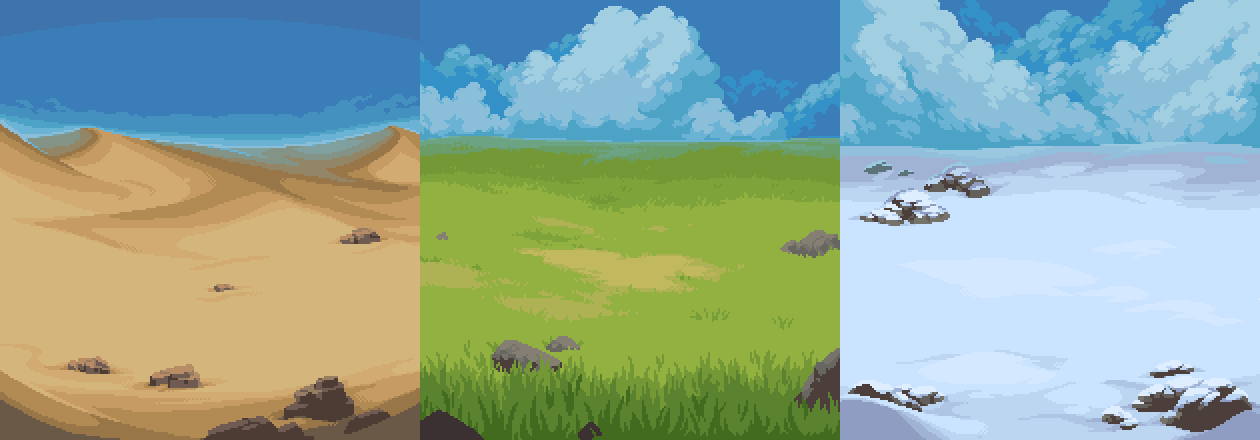
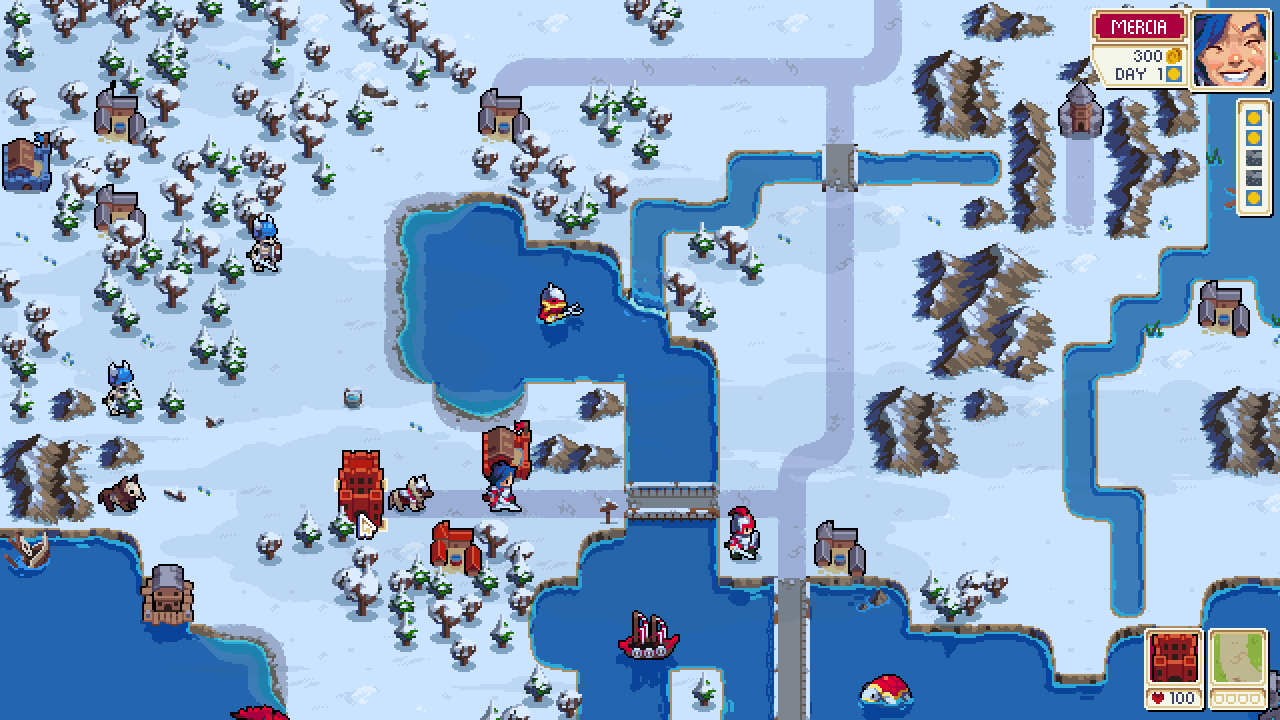
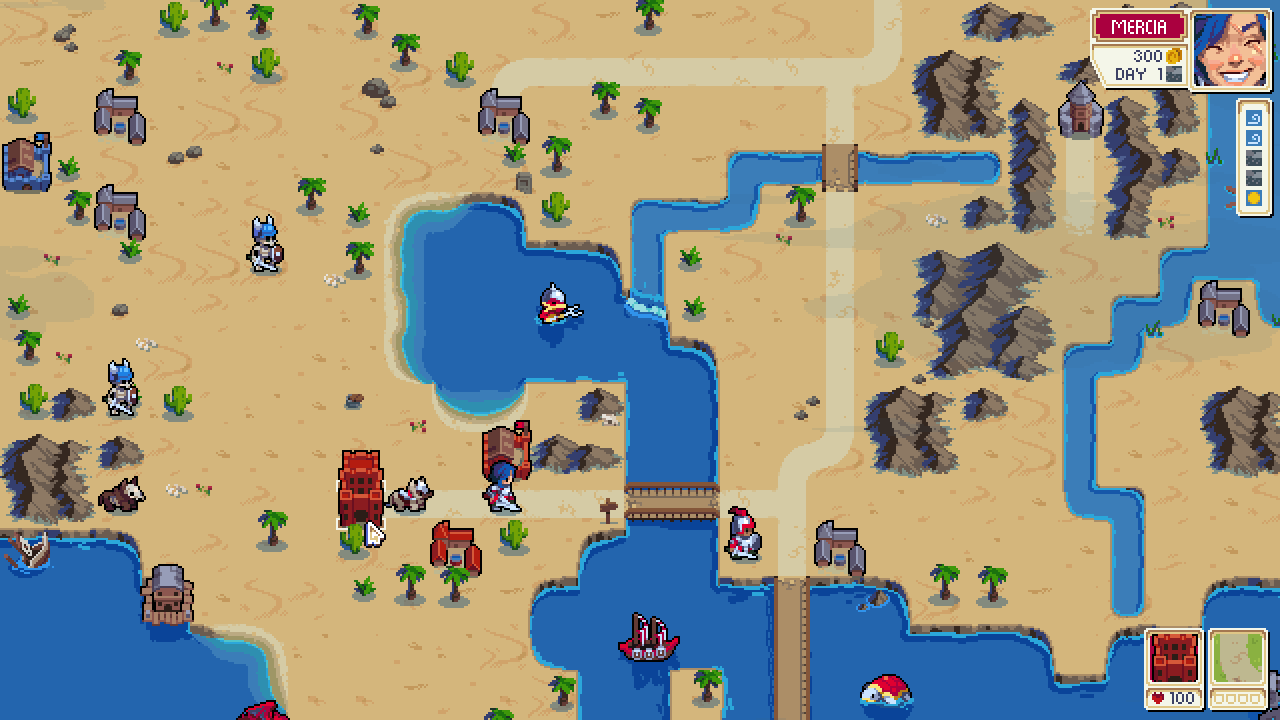
Here’s a small work in progress update on what we have been working on lately – biomes!

We have been thinking about what sort of gameplay implications biomes should have, and we’ll share details once we have something more concrete. But for now, here are some screenshots!

The same map in the 3 different biomes
Hope everyone has a nice weekend! 🙂

Post any feedback on our forums or the Wargroove subreddit!

Comments »

Commander Spotlight – Valder

In the bitterly cold mountains to the south there lies a nation of shambling corpses and assorted undead fiends. Travellers hope only to avoid meeting them on the open road, whilst would-be heroes and naive soldiers are eager to meet them in battle. They are the Felheim Legion, and they are governed by the necromancer Valder.

Control over the vast masses of the undead falls to whoever wields the Fell Gauntlet, and Valder secured it at a young age. A master in the necromantic arts, Valder even created the commander Ragna from the remains of countless skilled warriors, so that he can designate military matters to her. To him, the bloodthirsty hordes of skeleton soldiers are like his children, even if they tend to lack proper etiquette (and some brains).


If called to battle, Valder strikes using the powerful magic within the Fell Gauntlet to wipe out his opponents with a single hand.

He might not fear death, but his enemies would do well to fear him…

Comments »

The Campaign Editor

Today we have done our first public demonstration of Wargroove’s Campaign Editor at the PC Gaming Show – if you missed it, make sure to check it out at Twitch!

In designing Wargroove, it was important to us to empower players to create their own content and stories, and the Campaign Editor is a key part of that. It’s the same tool that Chucklefish is using internally to create the campaigns that will ship with the game, and will therefore empower you to create content on par with ours, or even better! It will also be available across all platforms supported by the game, and the maps and campaigns you create can be shared online – either privately with friends, or publicly so that anyone can go check it out!

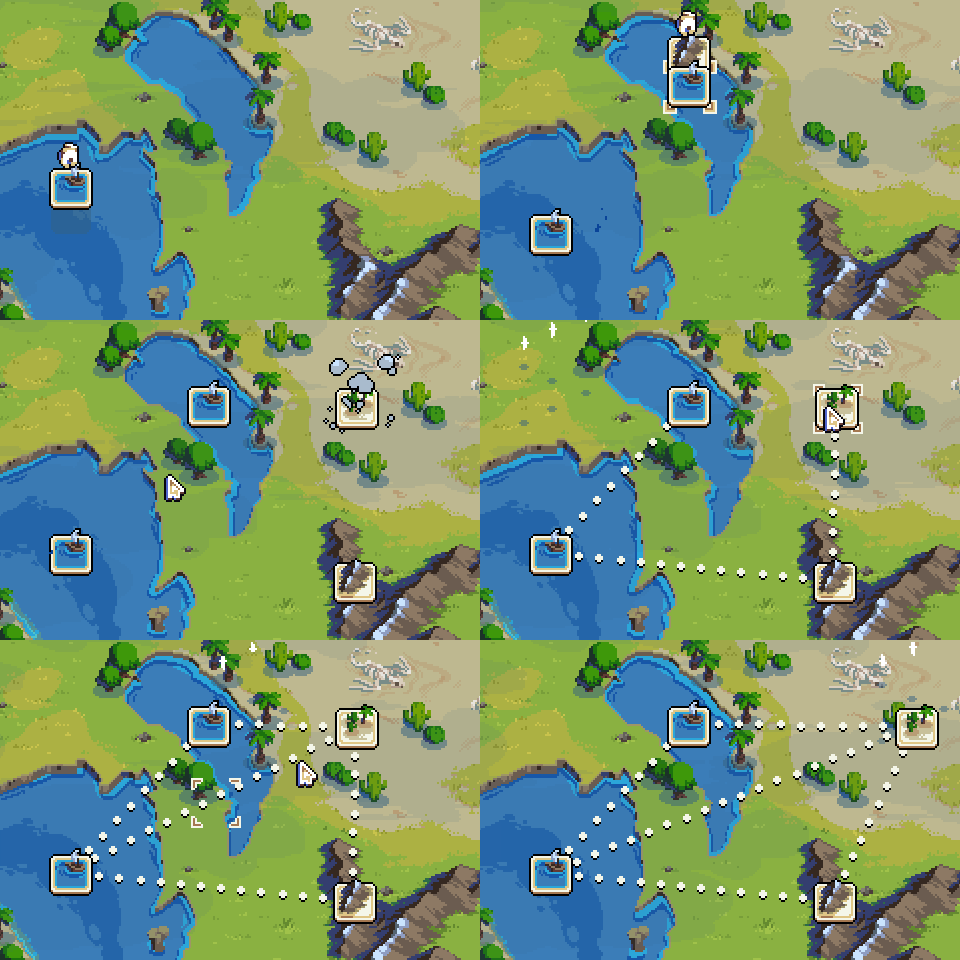
A lot of work has gone into making this tool simultaneously very powerful and easy to use, regardless of whether you’re using a mouse or gamepad. Scenario markers can be dropped on the world map, representing the different missions that players will encounter. They are then connected with paths (the dotted lines you see above), which represent the route you’ll take between missions. Branching campaigns are fully supported, and you’ll be able to specify the conditions necessary for certain paths to become available. For example, you might need to S-Rank a mission to reveal a secret encounter, or your choices inside the mission might lead you to different locations on the map!

After placing maps, you can open them in the Scenario Editor, which is a fully-fledged map editor.

In addition to drawing terrain and placing units and buildings, the Scenario Editor also allows you to write your own custom cutscenes, victory conditions, events (by specifying conditions and actions), and even feed back to the rest of the campaign. For example, you could set up a map with two exits, and when you move your commander inside one of the custom exit zones, you win the map and unlock a different path in the campaign screen.

That’s it for today. Hopefully this gives you a taste of the kinds of stories you’ll be able to tell with this tool. We’ll discuss the advanced features of the Scenario Editor more thoroughly in the future, so stay tuned!

Comments »

First Look at the Map

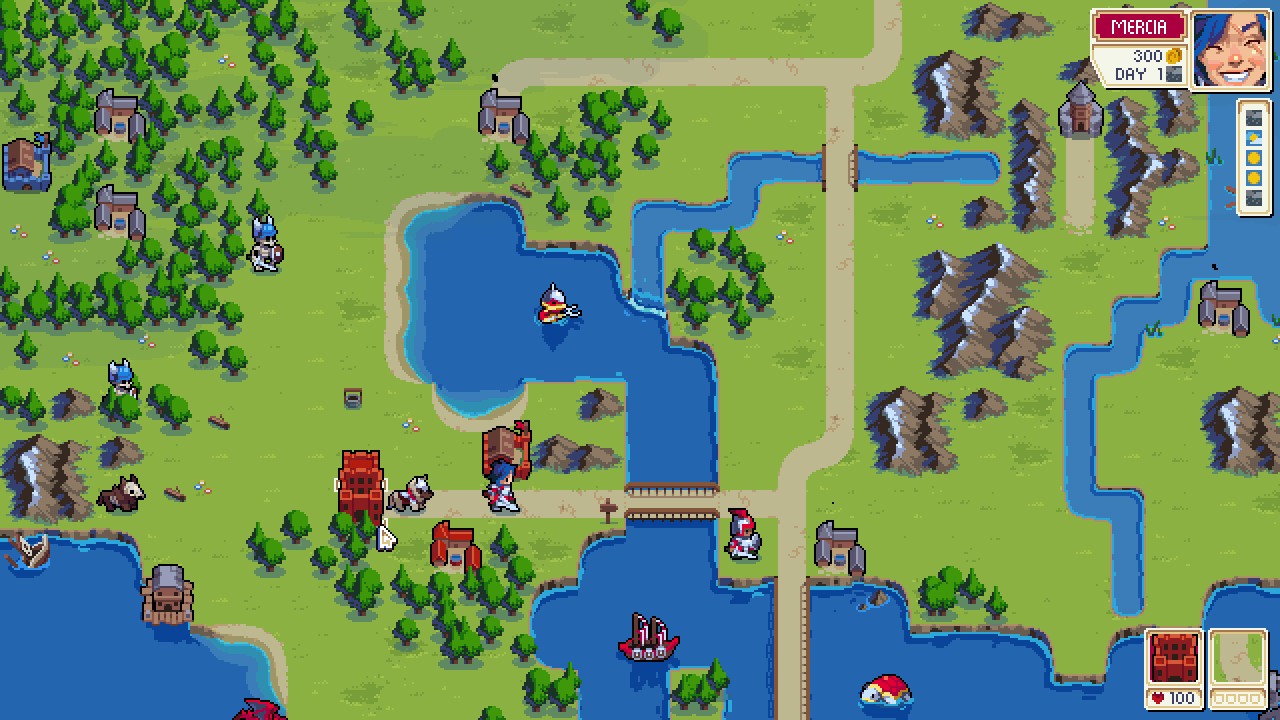
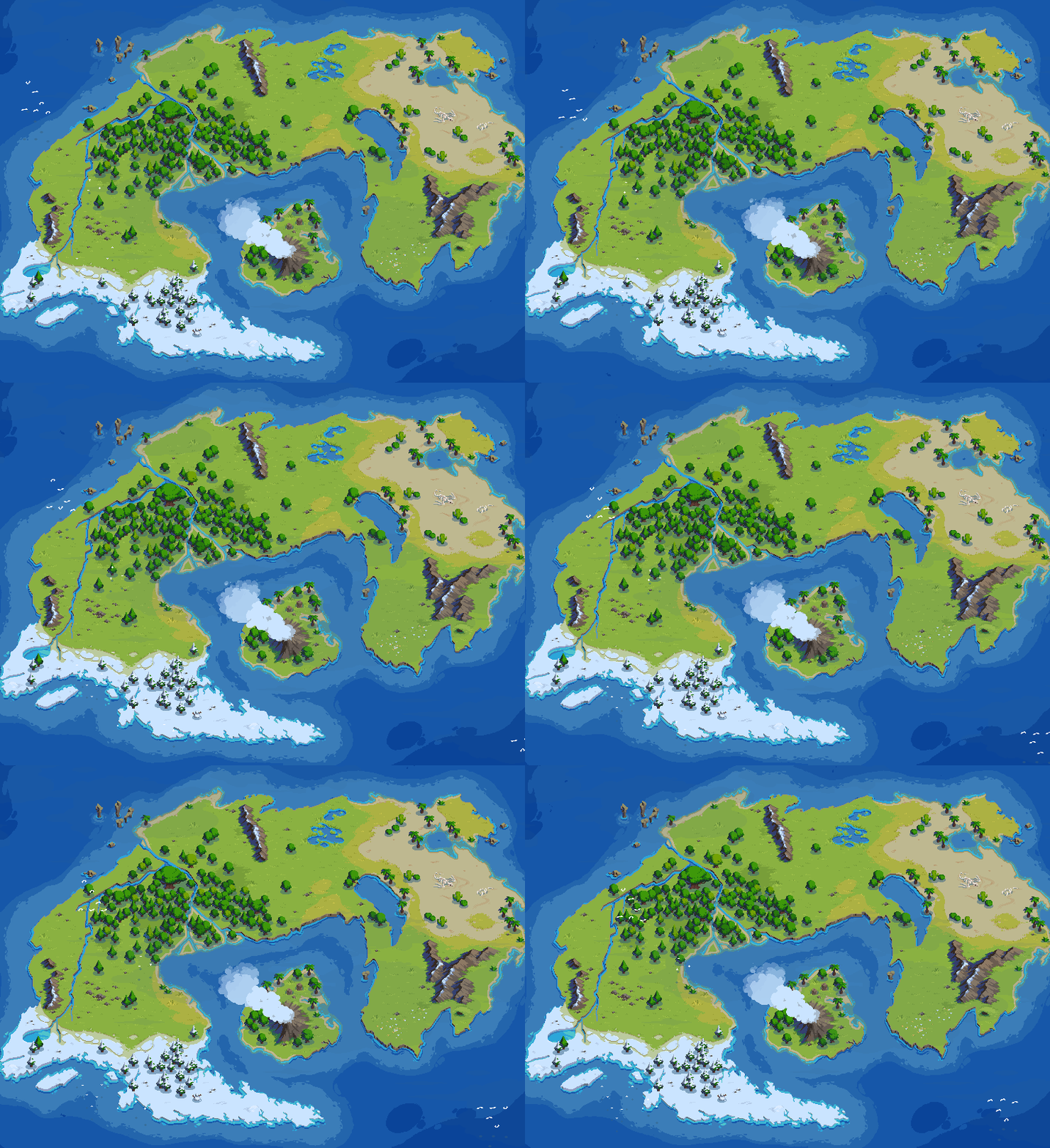
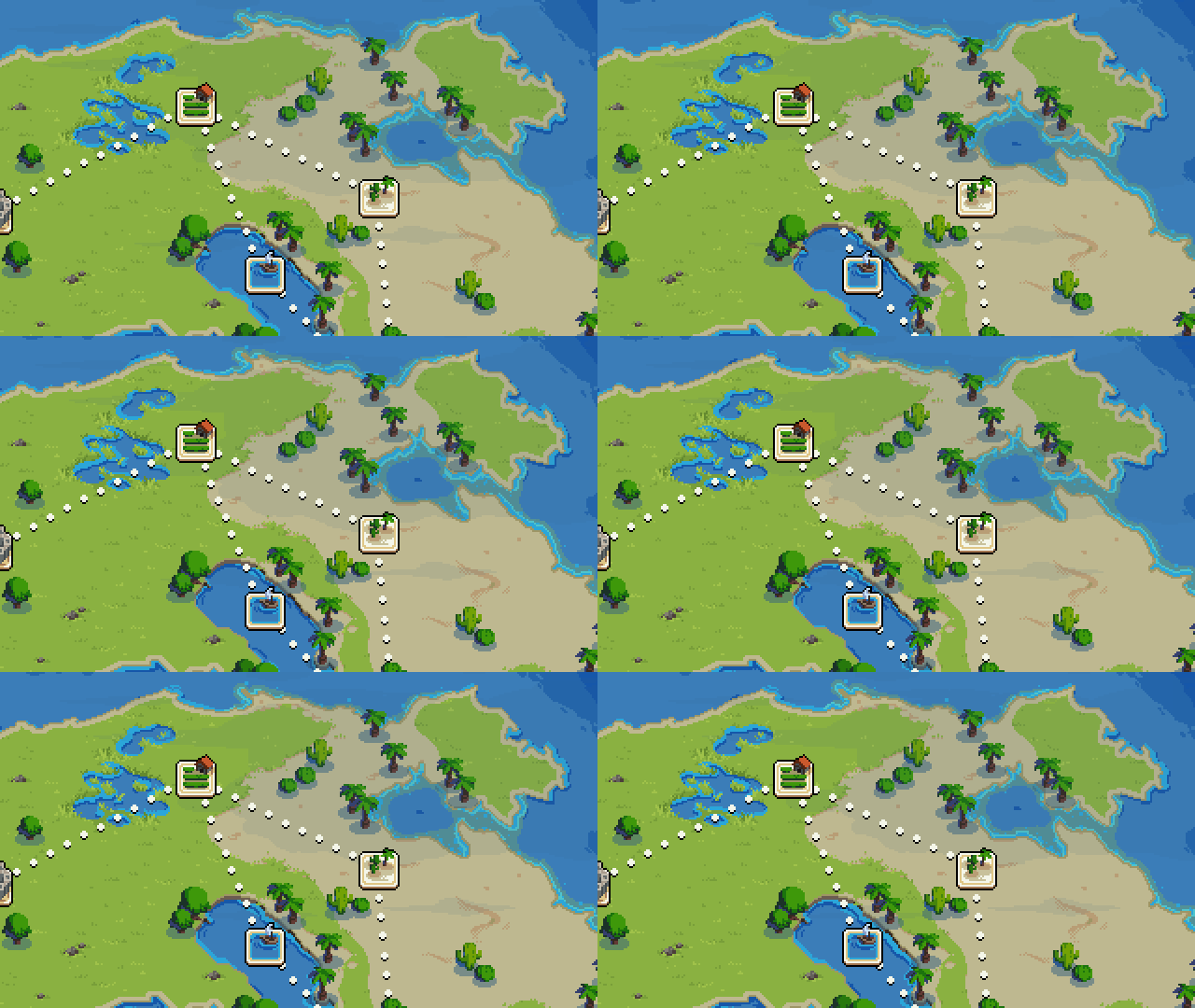
Here’s a quick look at what we’ve been working on lately, including a work-in-progress water shader, and a first look at some of the world map. Stay tuned for more information on this soon!

Comments »